In today’s fast-paced work environment, managing time efficiently is more crucial than ever. Whether you’re a freelancer, a small business owner, or part of a large team, understanding how time is spent can dramatically improve productivity and project outcomes.
What is DeskTime?
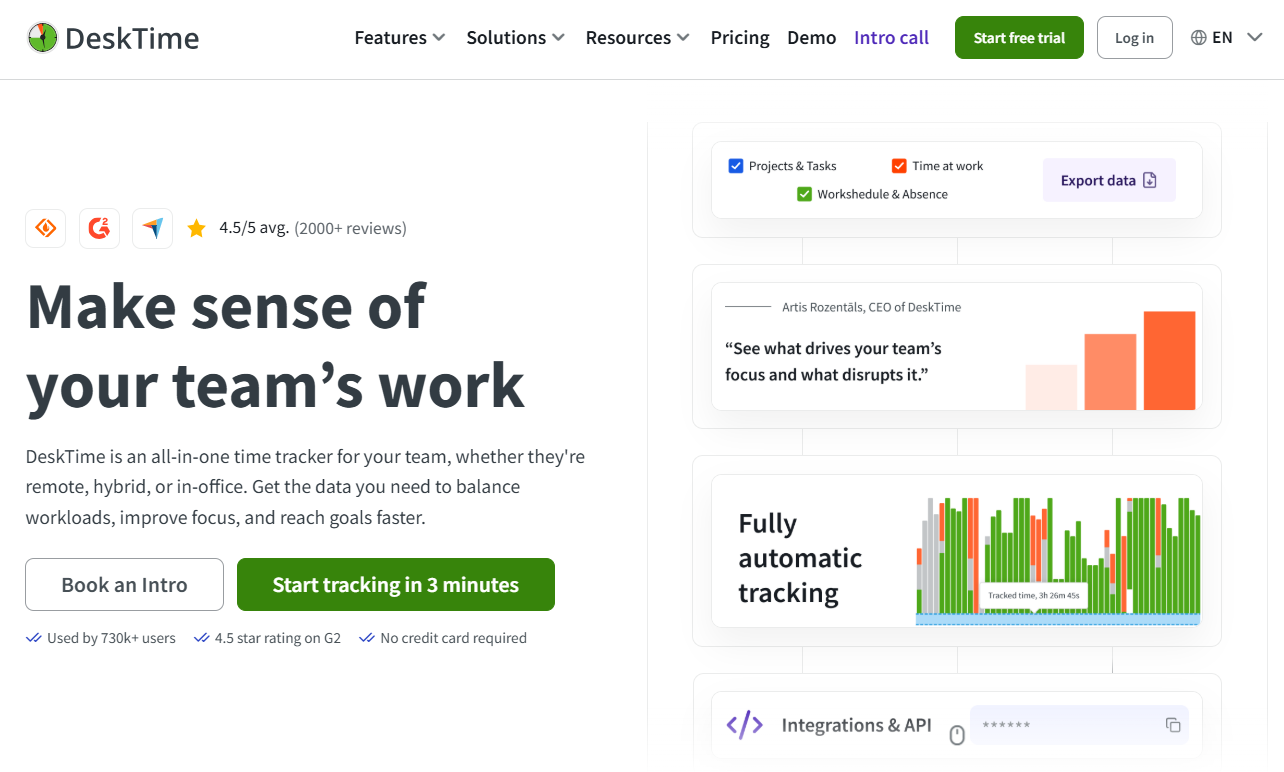
DeskTime is an automatic time tracking tool that monitors the time spent on various tasks and applications without requiring manual input. Unlike traditional time trackers where users must start and stop timers manually, DeskTime runs in the background and collects data about active windows, apps, websites visited, and time spent on each. This data is then presented in detailed reports and visual dashboards, making it easy to analyze productivity patterns and identify areas for improvement.
DeskTime is suitable for remote teams, freelancers, and office workers alike. It offers integration with popular project management software, invoicing tools, and calendar apps, creating a seamless workflow for businesses of all sizes.
Key Features
- Automatic Time Tracking
DeskTime automatically tracks time spent on different applications and websites, categorizing them as productive or unproductive based on customizable settings. - Productivity Analysis
The platform provides detailed productivity reports that show how much time was spent on productive activities versus distractions. This helps users and managers gauge efficiency and make informed decisions. - Screenshot Capture
For teams, DeskTime can capture screenshots at regular intervals during work hours, ensuring accountability and transparency without being intrusive. - Project and Task Tracking
Users can assign tracked time to specific projects or tasks, making it easy to monitor project progress and budget adherence. - Offline Time Tracking
DeskTime allows users to add offline time manually, such as meetings or phone calls, providing a comprehensive record of work hours. - Mobile and Desktop Apps
Available for Windows, Mac, Linux, Android, and iOS, DeskTime ensures users can track their time across all devices. - Integrations
DeskTime integrates with tools like Trello, Asana, Jira, Slack, and more, streamlining project management and communication. - Absence and Leave Management
Teams can track vacation days, sick leave, and other absences within the platform. - URL and App Usage Tracking
Detailed logs of website visits and app usage help identify potential distractions and optimize workflows. - Customizable Productivity Ratings
Users can set which websites and applications are considered productive or unproductive according to their role or company policy.
Pros
- Automatic and hassle-free tracking eliminates the need to start/stop timers manually.
- Comprehensive reporting offers deep insights into work habits.
- Easy-to-use interface makes it accessible for users at all technical levels.
- Supports multiple platforms, including mobile devices.
- Strong privacy controls allow users to disable screenshot capturing when needed.
- Flexible plans suitable for freelancers up to large enterprises.
- Helps reduce time-wasting activities by identifying distractions.
Cons
- Screenshot feature may raise privacy concerns among some employees.
- Some users report a learning curve to customize productivity categories effectively.
- Limited offline time tracking automation; users must input offline time manually.
- The free version is quite basic and may not suffice for larger teams or advanced needs.
Alternatives and Competitors
While DeskTime offers a robust solution, several alternatives cater to different needs and preferences:
- Toggl Track: Known for its simple manual time tracking and powerful reporting features, ideal for freelancers who prefer control over their time entries.
- RescueTime: Similar to DeskTime in automatic tracking but emphasizes personal productivity improvement with distraction blocking.
- Hubstaff: Offers time tracking with GPS location and payroll features, suitable for remote field teams.
- Time Doctor: Focuses on employee monitoring with detailed analytics and screenshot capturing.
- Clockify: A popular free time tracker with manual and automatic tracking options and strong integrations.
- Everhour: Integrates closely with project management tools like Asana and Trello, designed for teams needing detailed project budgeting.
- Harvest: Combines time tracking and invoicing, ideal for service-based businesses.
DeskTime is a comprehensive time tracking platform that empowers users and organizations to work smarter, not harder. By providing automatic tracking, detailed insights, and team management features, it helps increase productivity and accountability without adding administrative overhead. While some features like screenshots may not be suitable for every team, DeskTime’s flexibility and ease of use make it a strong choice for businesses looking to optimize their workflows. If you want to gain control over your time and improve overall efficiency, DeskTime.com is definitely worth exploring.